

A MEMOIR BY MATT GARDNER
The Kid Nobody Saw
Matt Gardner recalls growing up in Pennsylvania feeling invisible, the friendships that helped him through hardship, and how he eventually found his voice through music.
View paperback on Amazon Get StemFYR ↗
WINDOWS DESKTOP DAW · EMBER AI
Record, produce, edit, mix, master, and separate stems in one focused desktop studio—with Ember ready to help inside the session.

 Session-aware. Artist-first.
Need a beat at 130 BPM?I’ve got you.
Want to tighten your vocals?Let’s make it sound pro.
Ready for the final master?I’ll analyze the whole mix.
STEMFYR STUDIOS
StemFYR combines the precision of a professional recording studio with the speed of pattern-based production. Start from a vocal, a beat, a sample, or an empty session—and stay in control through the final bounce.
Explore the workflow ↘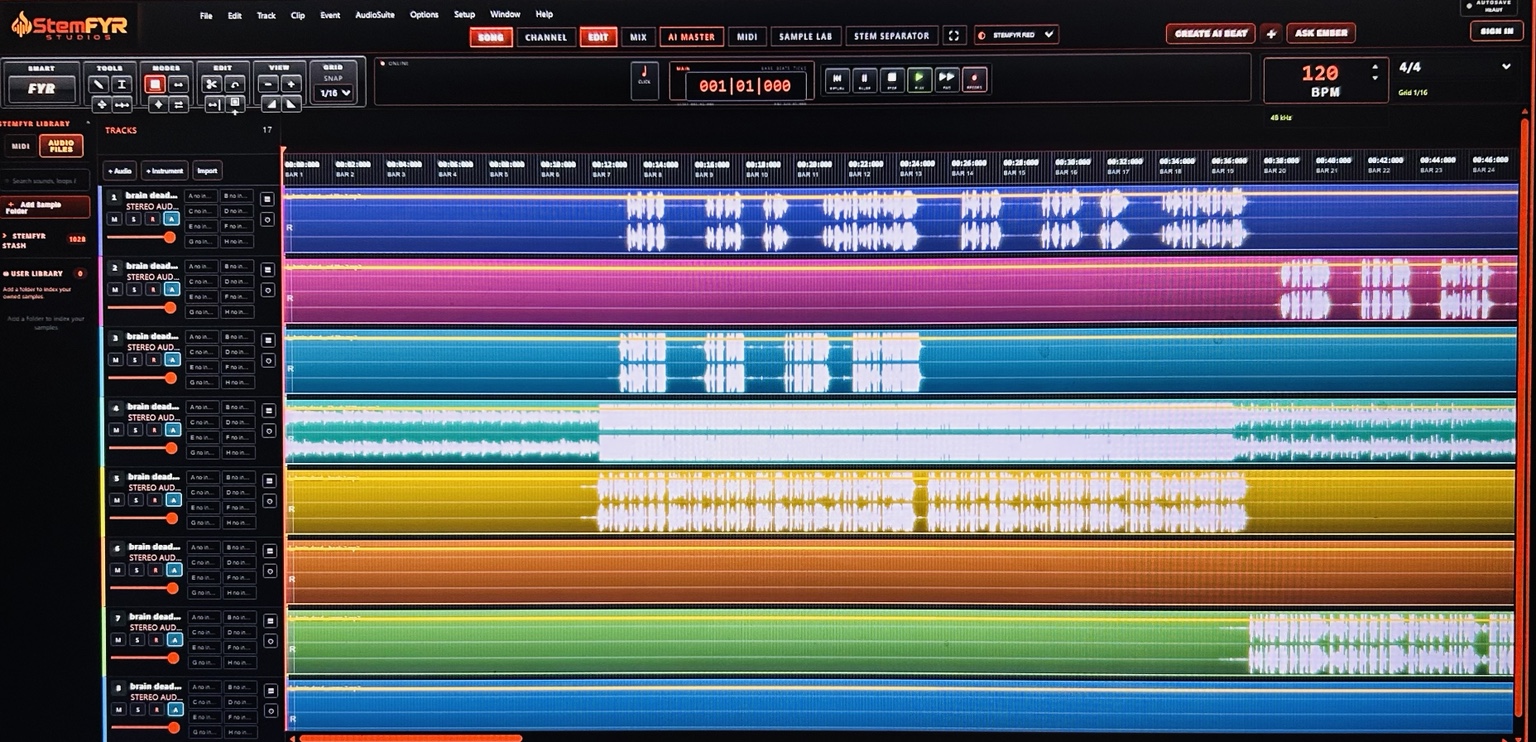
THE STEMFYR ECOSYSTEM
StemFYR is expanding from music production into podcasting, livestreaming, music discovery, and producer earnings—giving independent creators connected tools without taking away creative control.
Create, record, produce, mix, and master music in the downloadable Windows studio.
CREATE THE MUSIC → WINDOWS RELEASE02Record podcasts, create video content, and build professional livestreams.
EXPLORE STEMCAST → LIVE NOW03Discover approved independent music and give artists a place to reach new listeners.
LISTEN & SUBMIT → COMING SOON04Give producers a storefront to sell beats, set license terms, and keep 90%.
EXPLORE THE PREVIEW →
A MEMOIR BY MATT GARDNER
Matt Gardner recalls growing up in Pennsylvania feeling invisible, the friendships that helped him through hardship, and how he eventually found his voice through music.
View paperback on AmazonONE CREATIVE WORKFLOW
Record mono or stereo, monitor inputs, capture lead and backing vocals, and edit clips with precision.
Move from Channel Rack patterns to full arrangements using instruments, editable MIDI, and real samples.
Balance every track in a focused mixer with routing, automation, inserts, submixes, and mastering comparison.
Separate compatible songs into synchronized working parts for remixing, practice, and new arrangements.
See detected notes on a pitch grid, correct pitch and timing, or turn a recorded melody into editable MIDI.
Keep complex sessions organized with portable project files, templates, autosave, and versioned recovery.
NEW IN THE WINDOWS DESKTOP
Edit detected vocal notes with FYR Main, Pitch, Time, Separate, and Level tools. Loop a difficult phrase, audition changes, preserve formants, and render a tuned copy without replacing the original take.
Nudge a selected note by 5, 10, 25, or 50 cents, use scale snapping and correction strength, then refine drift, vibrato, transitions, timing, and individual note level.
Turn a clean vocal, bass, guitar melody, or other monophonic performance into editable notes in the StemFYR Piano Roll. Experimental polyphonic analysis is available for chord material.
Build combined Channel Rack patterns, arrange them as Pattern Clips, work with the expanded Piano Roll, recover projects automatically, and ask Ember for session-aware help.
Pitch detection works best on isolated, single-note recordings. Experimental features can produce artifacts; save the original take and audition every edit before export.
MEET EMBER
Ember understands your tempo, key, tracks, clips, MIDI, routing, and levels. Ask for creative ideas, track changes, mix guidance, or session feedback in plain language. The work remains structured, visible, and editable.
Destructive actions require confirmation. AI music generation uses separately purchased credits.STREAMLINED EDITING
The FYR Tool reads where your pointer is and gives you the right action—select, move, trim, resize, fade, or automate—without constant tool switching.
BUILT FOR YOUR STUDIO
Install or update StemFYR from Microsoft Store for the complete native-capable desktop workflow.
Universal tester build for Apple Silicon and Intel Macs. Apple notarization is pending.
SIMPLE PRICING
StemFYR Studios and StemCast are separate products. Unlock the complete music Studio for $5.99 per month, or record podcasts and livestreams with StemCast for $5.99 per month.
Make music before choosing a paid plan
Renews monthly. Cancel anytime.
Separate StemCast subscription
The Studio subscription includes Ember, while AI song and beat generation credits are sold separately.
Secure checkout is handled by Stripe. You will see the exact price before payment.
STEMFYR PARTNER
StemFYR Studios partners with DUBBY for producers, artists, and engineers who want a flavored energy option during demanding creative sessions.
Partner offer: StemFYR may receive support when you use this link. Products containing caffeine are not intended for children, people who are pregnant or nursing, or anyone sensitive to caffeine.
Use code StemFYR at checkout.
Shop DUBBY ↗STEMFYR HAS MOVED TO DESKTOP
The browser Studio is retiring. Install or update the Windows desktop app for native audio, ASIO, VST3 plug-ins, offline projects, FYR MASTER, and the complete StemFYR production workflow.
Windows desktop 0.4.1 via Microsoft Store · free 4-track Studio included · paid upgrades unlock the complete Studio
PRODUCT FEEDBACK
Inside StemFYR, open Help → Send Feedback, or use the form below. Reports are saved securely and delivered directly to the StemFYR team.
An all-in-one DAW for vocals, beat production, audio and MIDI editing, mixing, mastering, stem separation, and AI-assisted production.
Yes. The Windows Studio is available through the Microsoft Store. An unsigned universal Mac tester beta is also available for Apple Silicon and Intel Macs.
The free Studio supports up to four tracks and includes the Song, Channel, MIDI, and Mix workspaces. Premium tools show an upgrade message and unlock after you choose a paid Studio plan.
StemFYR Studios is $5.99 per month with Ember included. There is no one-time purchase option. AI song and beat generation credits are sold separately.
Copy StemFYR Studios to Applications. In Finder, Control-click the app, choose Open, then confirm Open. This warning remains until the Mac beta is Apple-signed and notarized.
Ember can provide session-aware guidance and request structured production, editing, MIDI, arrangement, and mixing actions. AI song and beat generation uses separately purchased credit packs: 300 for $4.99, 600 for $12.99, or 1,200 for $29.99.
StemFYR supports imported audio and user sample folders. Native plug-in hosting is being developed and tested in the Windows workflow.
Yes. Tracks, clips, patterns, MIDI notes, mixer settings, and automation remain available for you to adjust.
In StemFYR, open Help → Send Feedback. Include the feature, steps to reproduce it, what you expected, what happened, and your Windows/audio setup when relevant. You can also email Stemfyrstudios@gmail.com.